
Help center / Install
Install your eSIM with one tap
The easiest way is to install from the app itself.
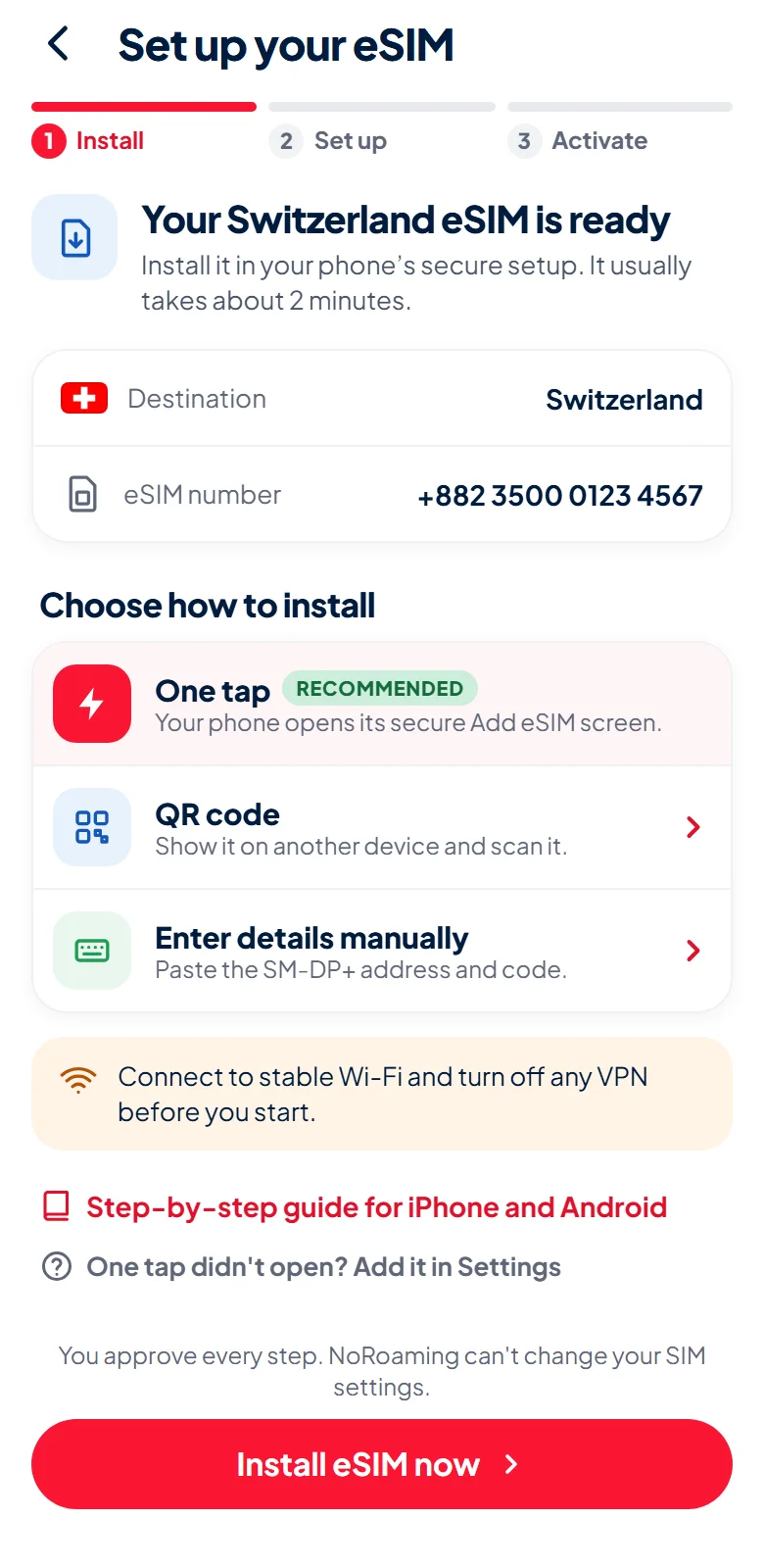
Your phone opens its own screen for adding an eSIM, and you confirm each step. NoRoaming cannot change your SIM settings for you.
1Connect to a stable Wi-Fi and turn off any VPN.
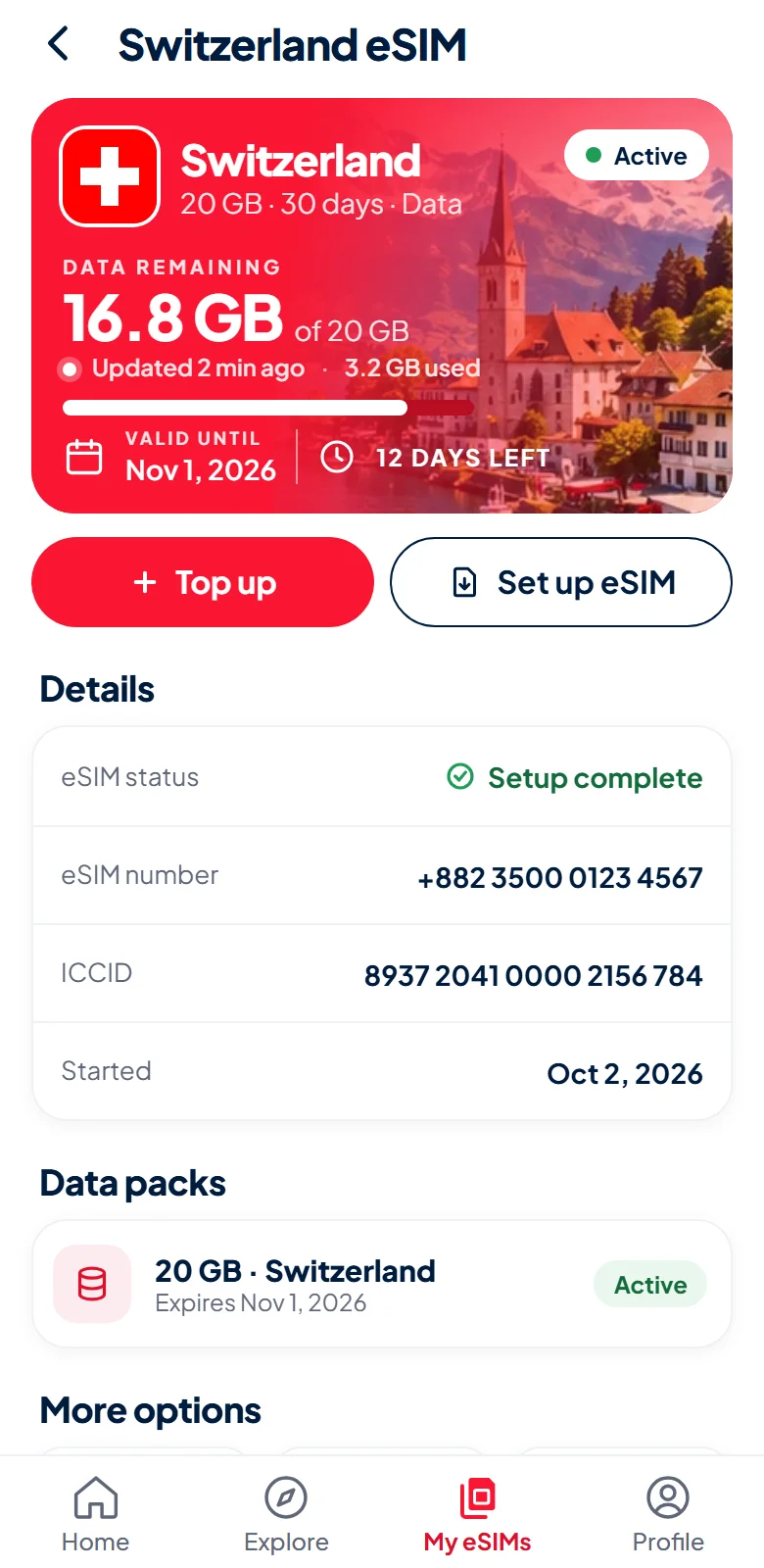
2Open My eSIMs and choose the eSIM.
3Tap “Set up eSIM”, then “One tap” and “Install eSIM now”.
4Follow the steps on your phone and confirm adding the eSIM.
5At the end, the app walks you through three settings to switch to your travel eSIM.
Install the eSIM before your trip. Data usually cannot be tested until you arrive in the plan’s country, and that is fine.
Open My eSIMs in your account or in the NoRoaming app.
On the NoRoaming line, turn on Data roaming. It is needed and costs nothing extra.