
Help center / Account & sign-in
Lost or stolen phone
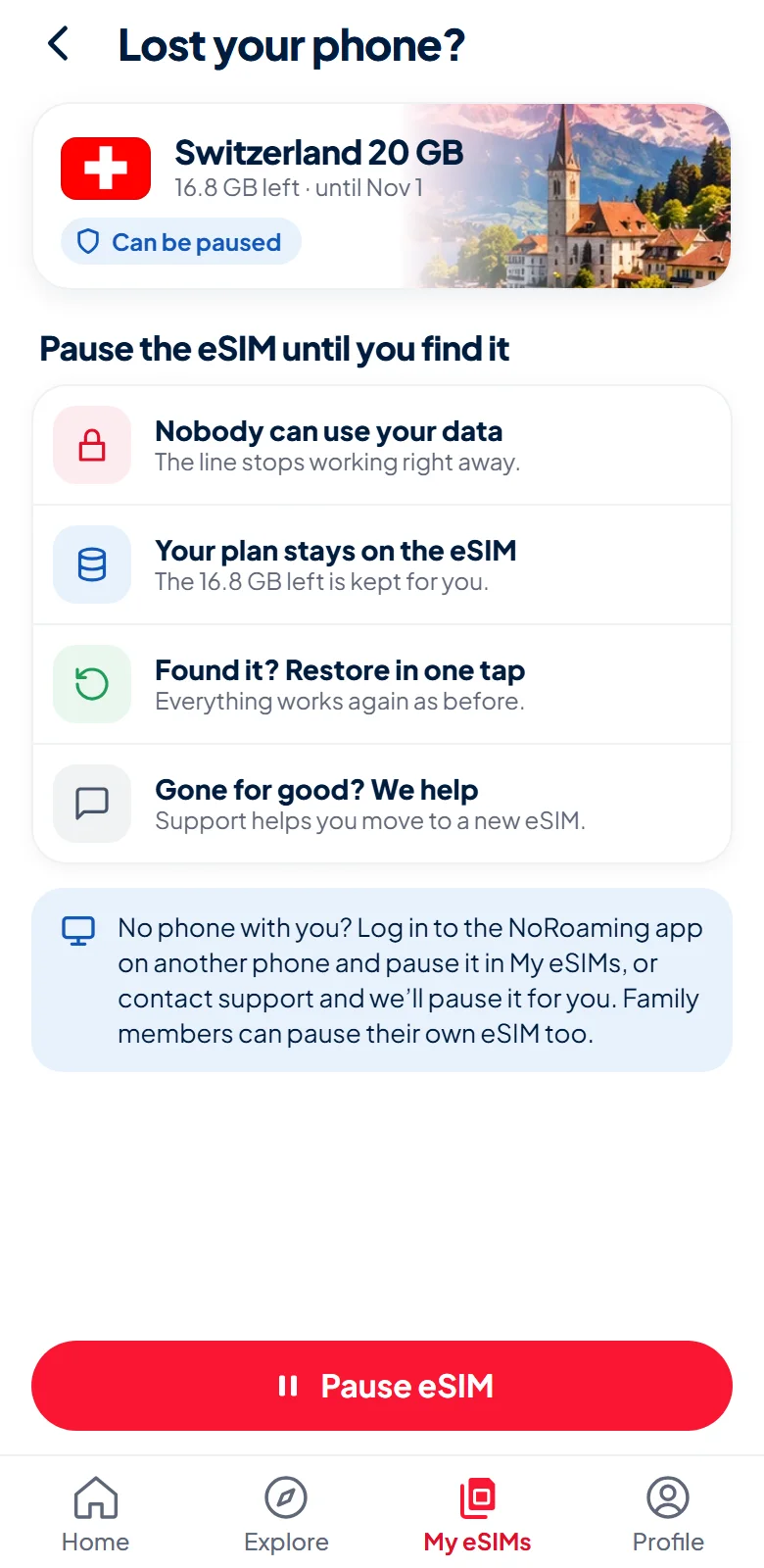
Pause the eSIM right away, so nobody uses your data.
The plan and the remaining data stay on the eSIM.
1Sign in to the NoRoaming app on another phone or on the website.
2Open My eSIMs, choose the eSIM, then More options › “Lost your phone? Pause this eSIM”.
3Confirm with “Pause eSIM”.
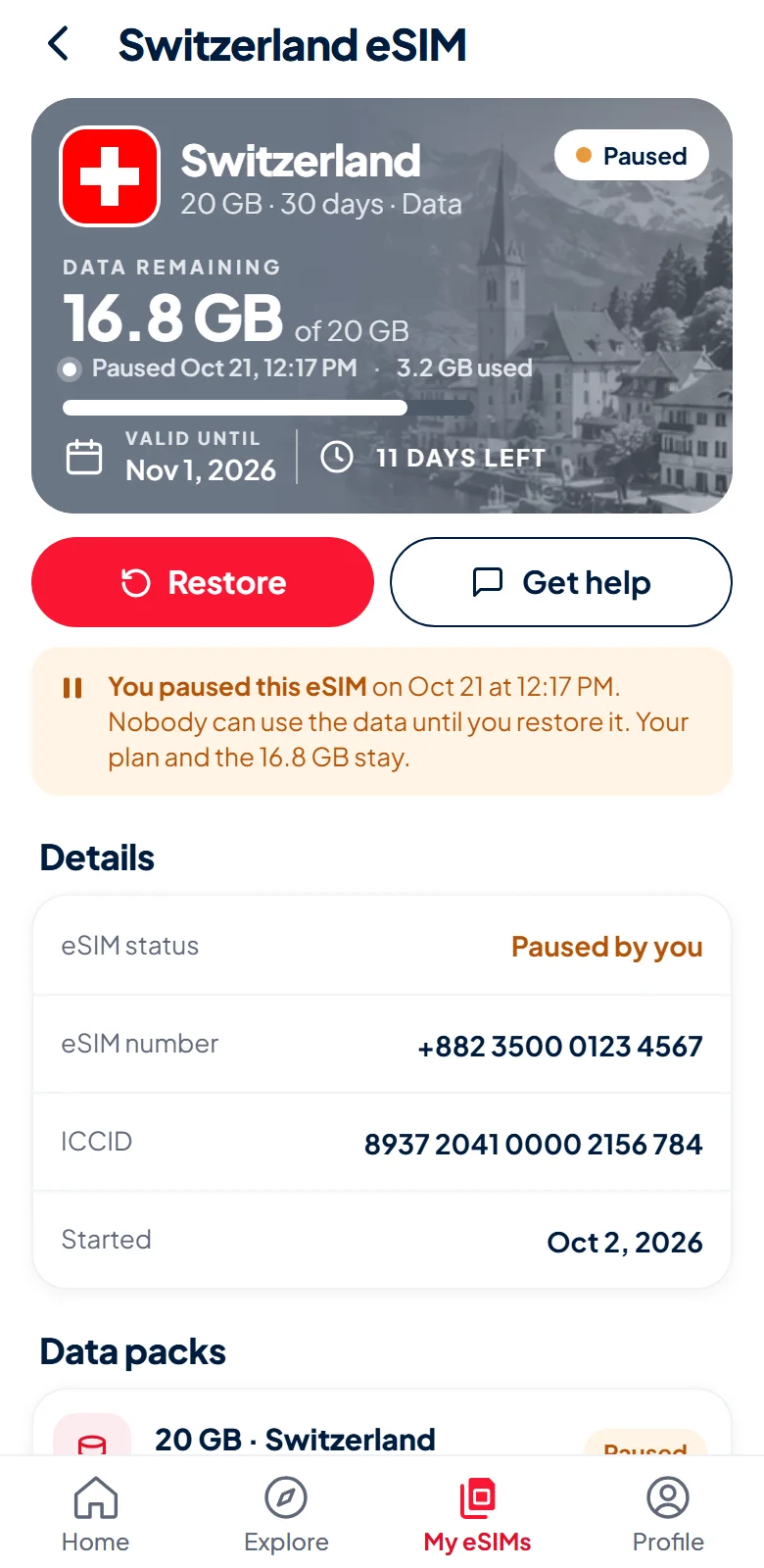
When you find the phone, tap “Restore eSIM”. If you cannot sign in, write to support and we will pause the eSIM. Family members can pause their own eSIM too.